Today was a big one. RentNation now has teams with their own private chat, a new Even Build rule, and a lobby that lives on the board you’re about to play on. Settings, the player list and the landing page all got a makeover too.
Team Mode
Before the match starts, pick one of eight crests: Royals, Wardens, Blades, Inferno, Storm, Tide, Jewels, or Reapers. Anyone with the same crest is your teammate.
- No rent between teammates, and shared color sets: if you and your partner own a full set between you, it counts as complete for both.
- Build on each other’s land. Either teammate can put houses on the other’s properties.
- Inheritance. If your teammate goes bankrupt, you can inherit what they leave behind.
- Last team standing wins. The match ends when only one crest is left.
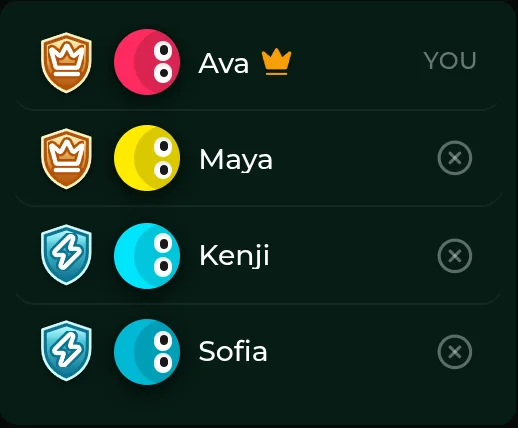
The crest picker is deliberately minimal: just the icons, with a green ring around your pick. Hover a crest to see who’s already on that team. The board itself stays clean.
Team Chat
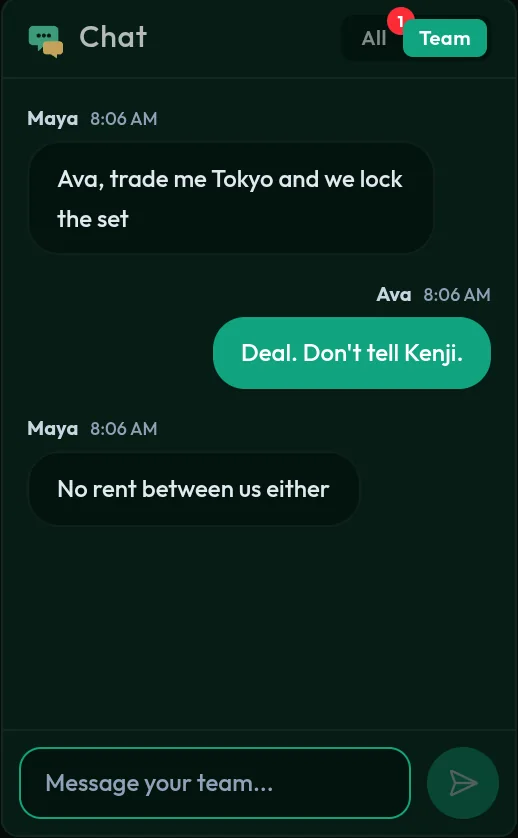
With Team Mode on, the chat gets a small All | Team toggle.
- Team messages go only to your teammates. The server enforces it, so opponents never receive them at all. Plot freely.
- An unread badge tells you when something new lands in the channel you’re not looking at.
New setting: Even Build
- On by default, following the classic rule: houses must be built evenly across a color set. No third house on one street while its neighbour still has one.
- Turn it off before the match to stack houses on your favourite property.
- The setting locks once the game starts, so nobody can change the rules mid-match.
A lobby that lives on the board
There’s no separate lobby screen anymore. You wait for friends on the actual board.
- When you join, a color picker covers the blurred board. Pick a token color and the board comes into focus.
- Start Game sits right where the dice will be, and the lobby settings take the spot where your Properties card normally goes.
- Players stay in the player panel, just like during the game.
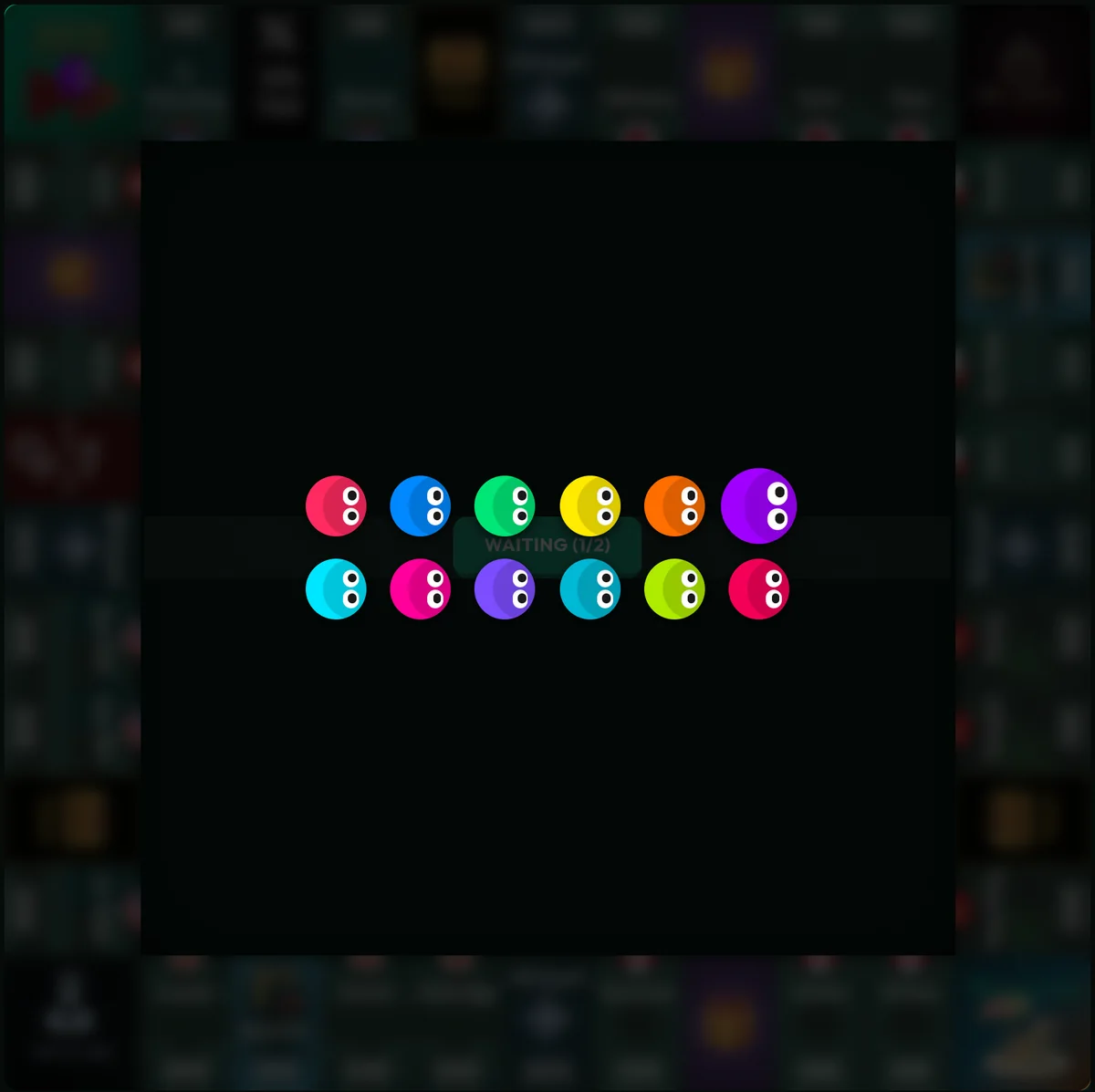
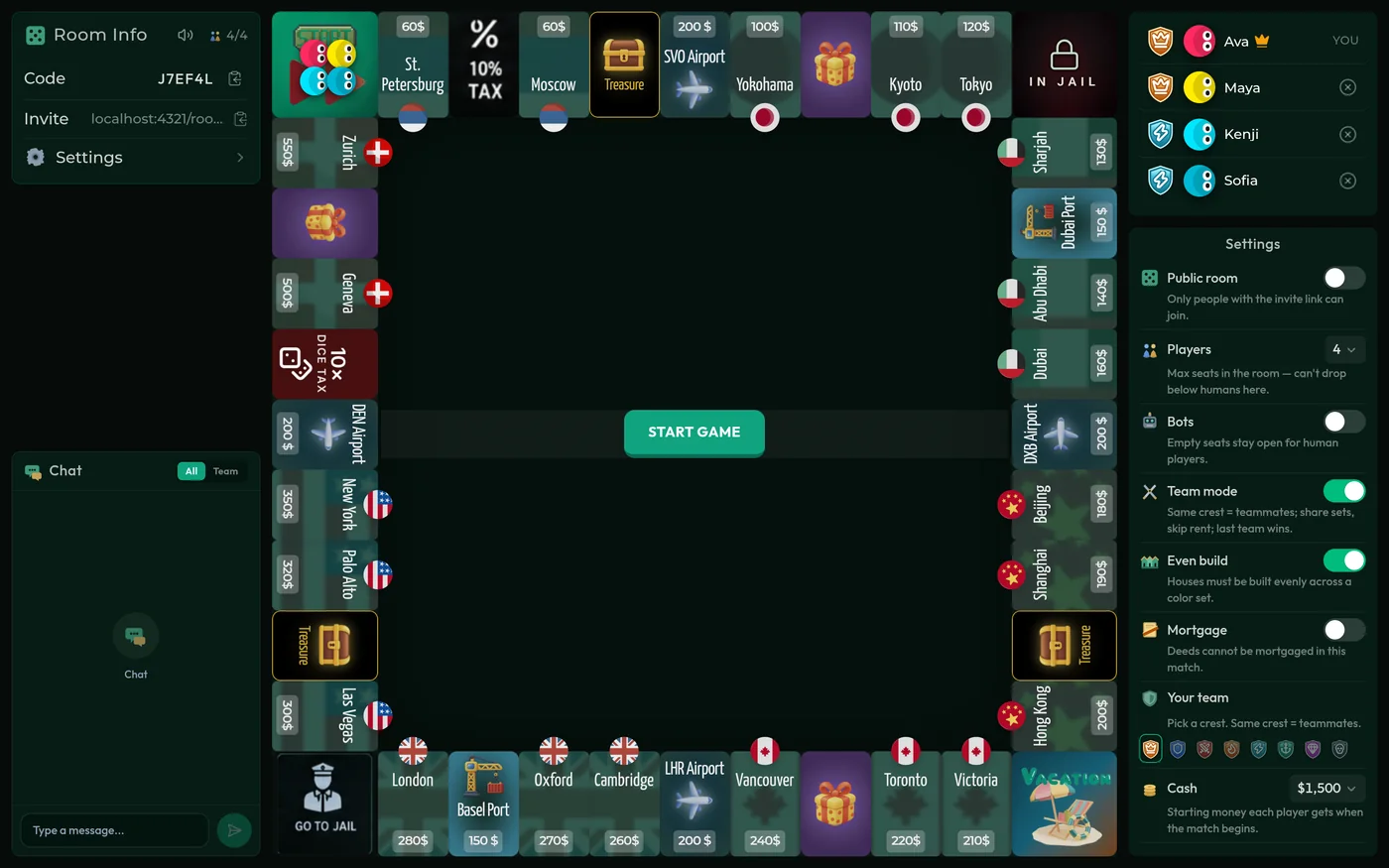
It feels much more like sitting down at the table while everyone else arrives.
Redesigned settings
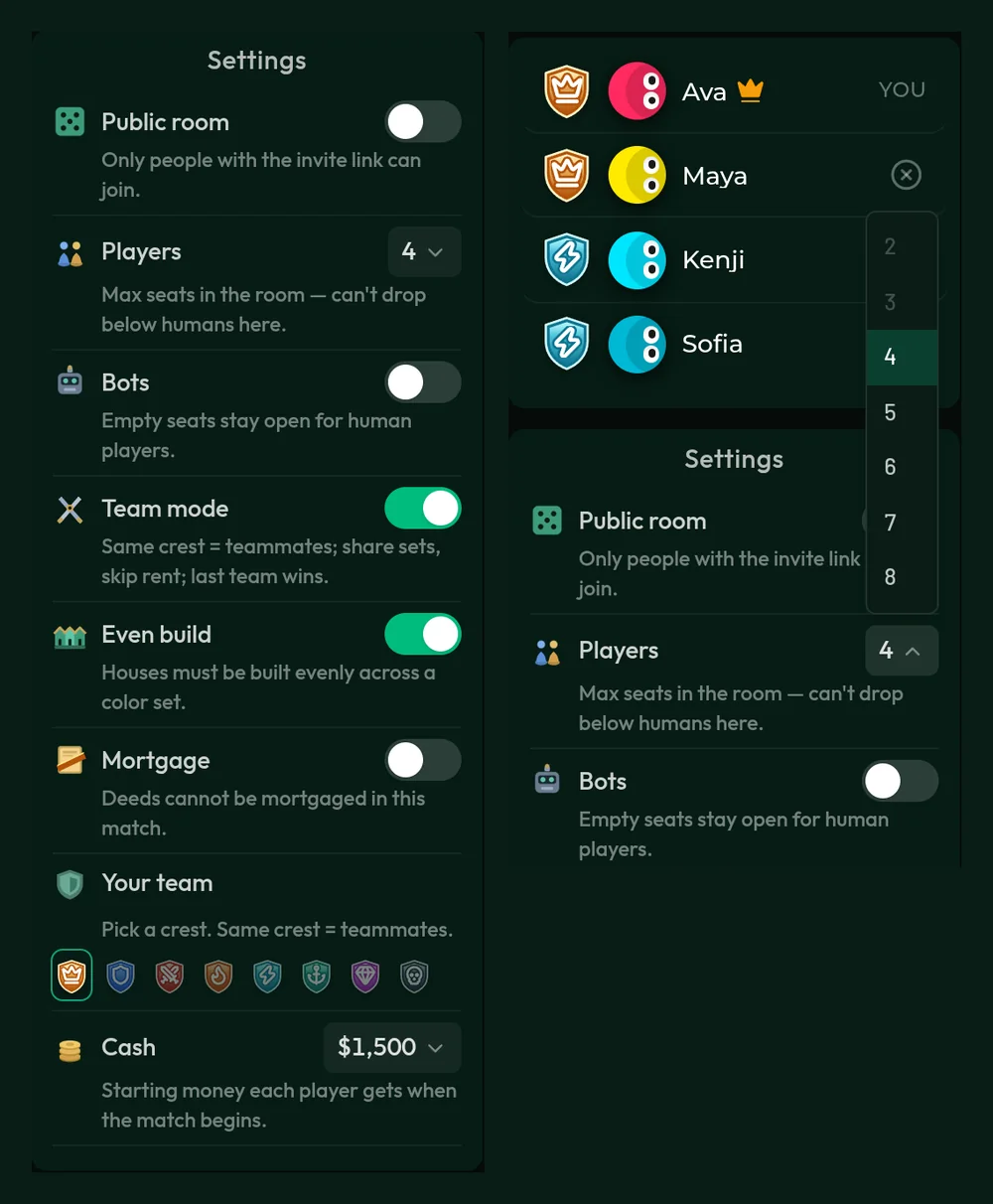
- A flat, compact list with readable, medium-weight text, and a plain-language explanation under every setting.
- Custom dark dropdowns for Players (2–8) and Starting cash that match the rest of the game, and now open cleanly without getting clipped.
- Bigger toggle switches with a quick slide, plus new filled, game-style icons across the sidebar cards.
Room Info and mid-game settings
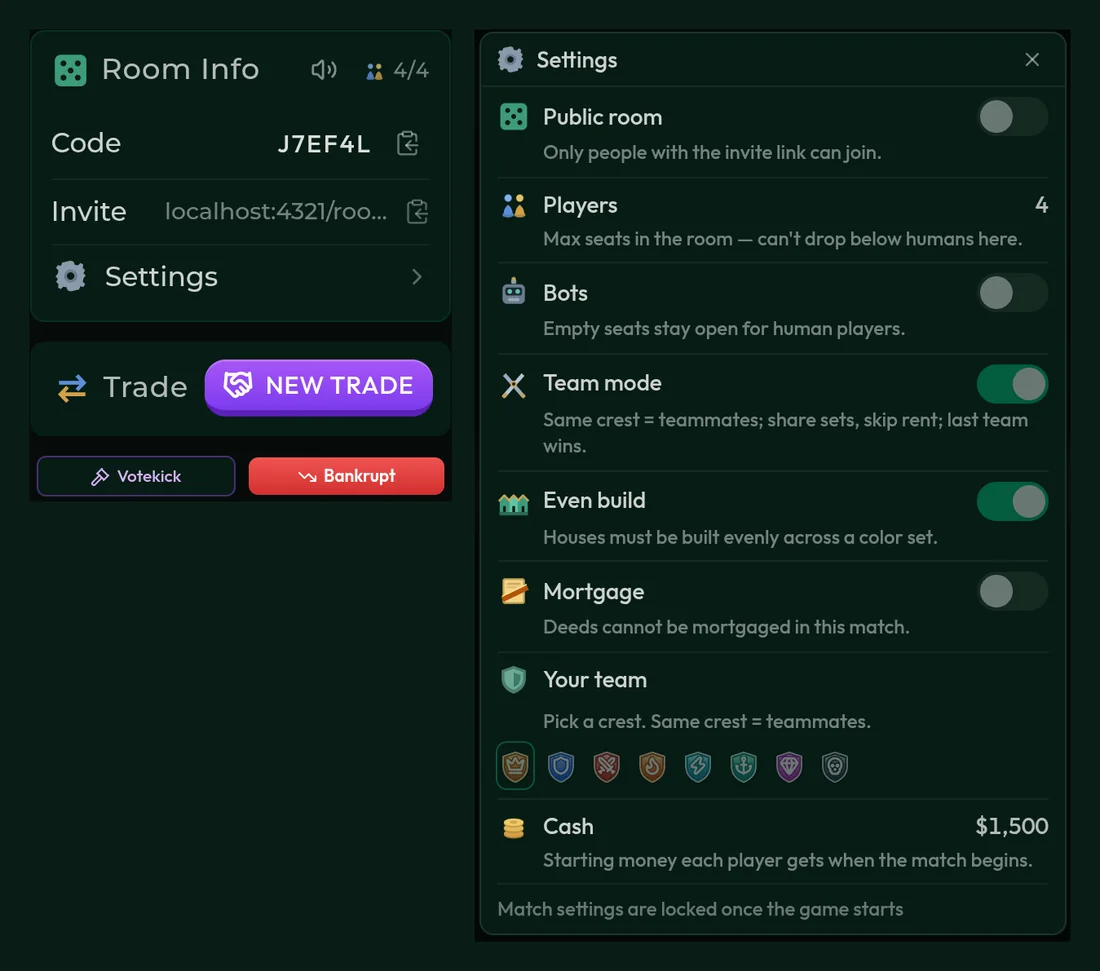
- Room Info is now one flat panel with the room code, the invite link, and Sound (hover to adjust volume, click to mute).
- A new Settings entry opens a compact, animated overlay. The host can edit before the game starts; during the match everyone can check the rules in play, read-only.
A cleaner player list
- Humans get a small round X to kick; bots get a bot-cross icon.
- No more “KICK” text, and no extra bot badge cluttering the lobby.
A brand-new landing page
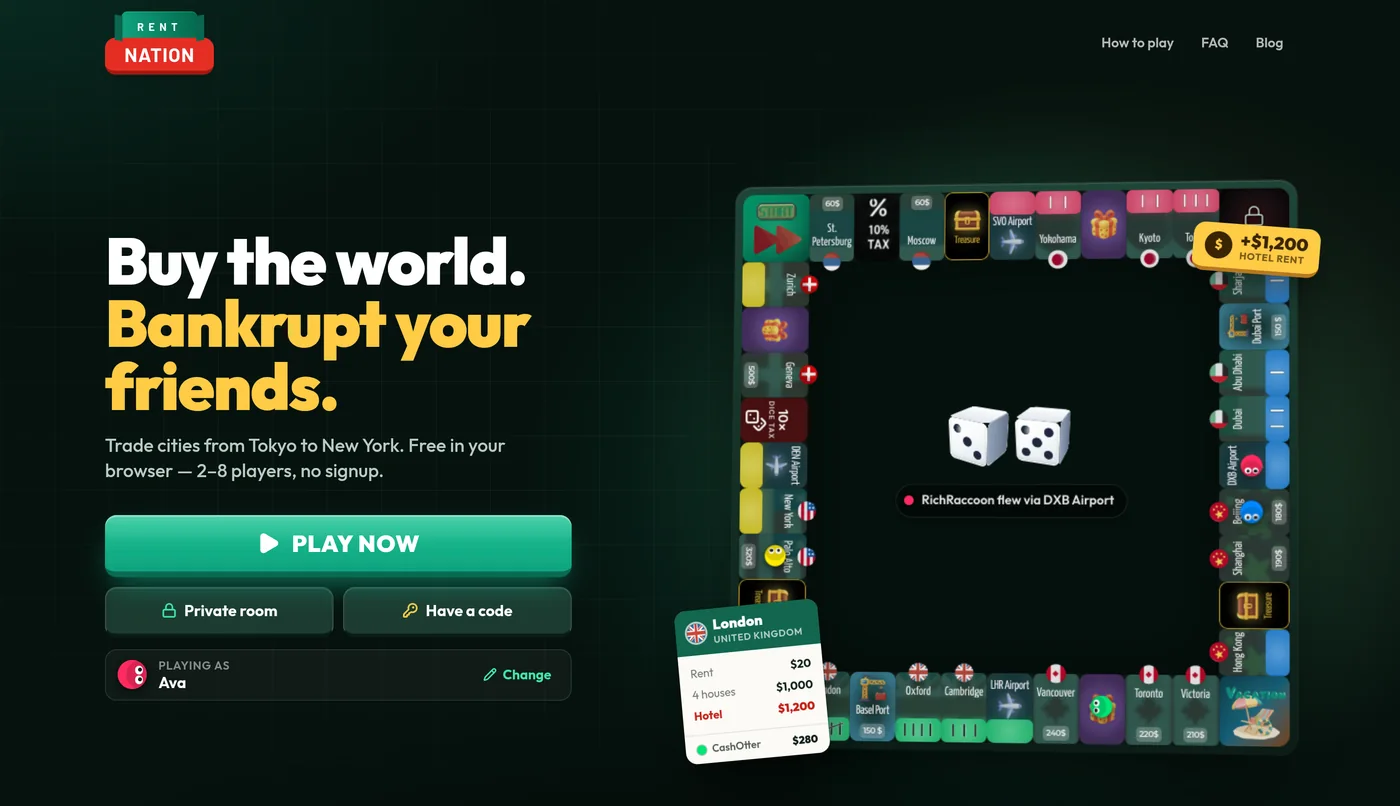
- A self-playing demo board, with tokens moving around and dice rolling, under the headline “Buy the world. Bankrupt your friends.”
- Everything is on the first screen: Play now, Private room, Have a code, and Change name.
Smaller polish
- The New Trade button is now more compact.
That’s today’s devlog. Grab a few friends, pick your crests, and see which team is left standing. Start a game and let us know what you think.